Auto-translate, Keyboard shortcuts, and new APIs
Auto-Translate is now in beta
All incoming messages can now be translated automatically into your preferred language. This ensures you never miss important information—no matter what language the sender uses.
You can now toggle between original message and the translated version.
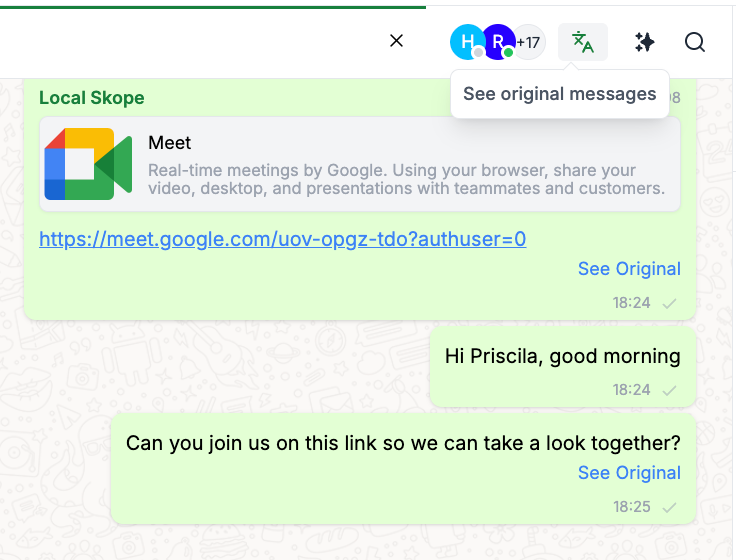
Your message will be translated in real time into the recipient’s language before it reaches them—making conversations natural and fluid on both sides.
Press Cmd + U to instantly translate selected text or the current message input. Perfect for fast replies or when auto-translate is turned off.
Keyboard Shortcuts are now GA
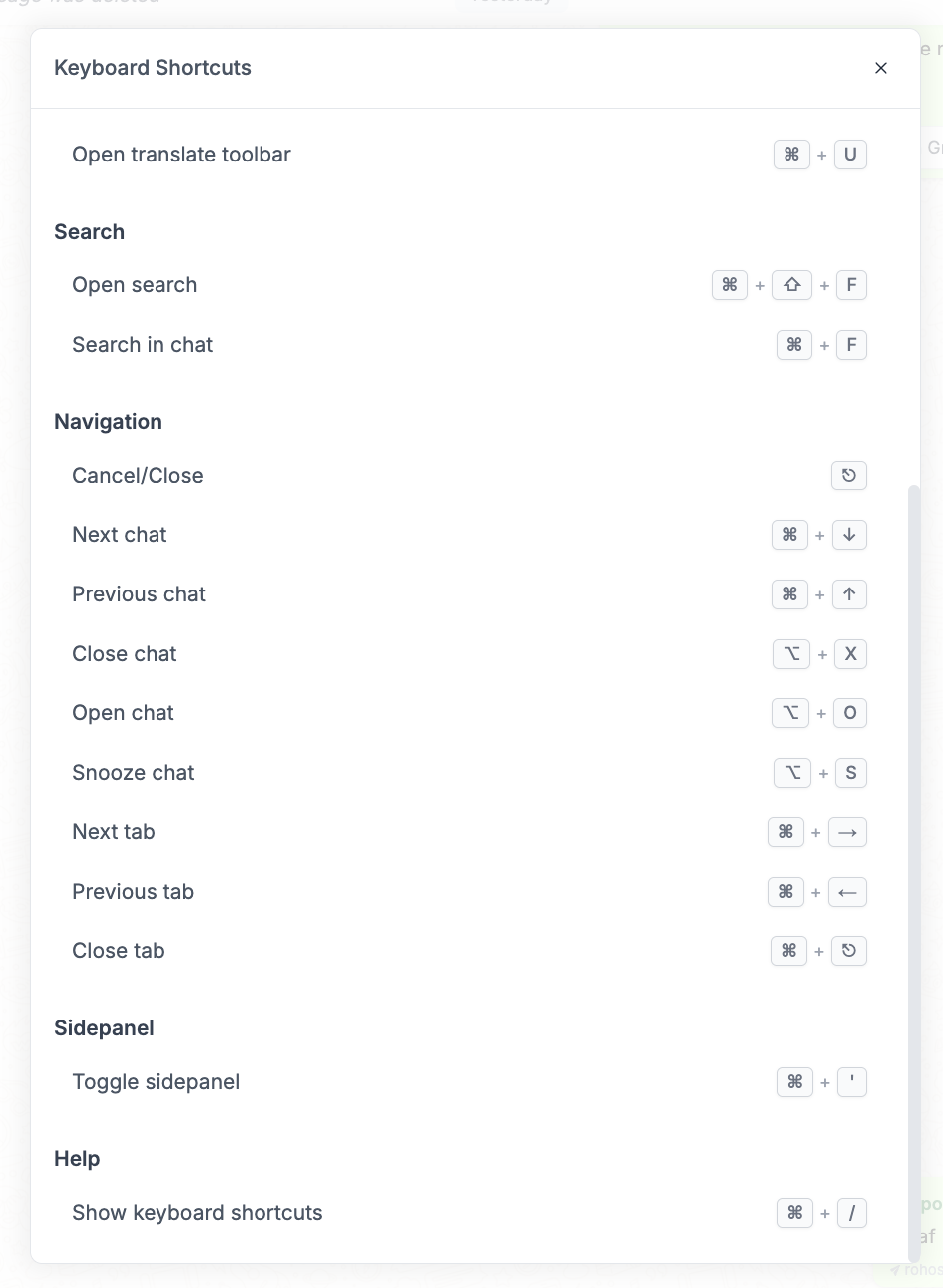
We have now provided shortcuts for easier accessibility. To access this, go to the top bar, click on help button and select keyboard shortcuts.
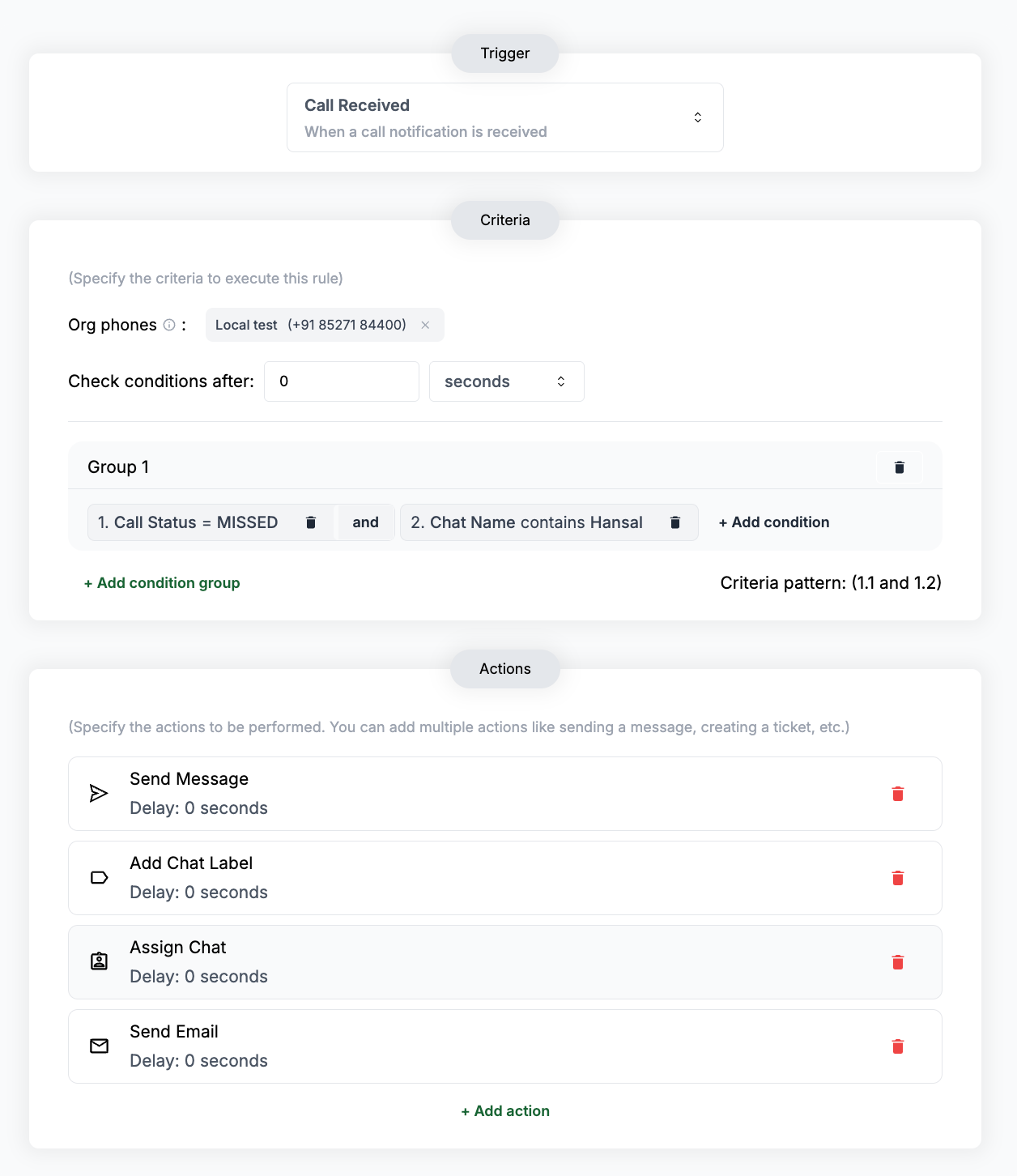
Added a Call Received trigger to Automation Rules
We have added a new rule for Calls Received. You can set up this rule and provide conditions pertaining to calls like call status, caller phone and timestamp.
New APIs added
Pin message API
We have now launched the Pin Message API, through which you can now pin a message using its id. Follow the link to get started on it. https://docs.periskope.app/api-reference/message/pin-messagePurge Queue
We have now updated the Purge Queue to be able to obliterate the entire message queue, if queue_id and broadcast_id are not provided in the body paramters. Follow the link to know more about it. https://docs.periskope.app/api-reference/queues/purge-queueDisappearing message setting in update group settings
We have added one more body parameter in Update Group Settings API to set the duration for disappearing messaes in a group chat. This new body parameter is called
ephemeral. Follow the link to know more about it.
https://docs.periskope.app/api-reference/chat/update-group-settingsCRUD for AI Knowledge Base to automatically update FAQs and documents
https://docs.periskope.app/api-reference/knowledge-base/get-all-knowledge-base
FAQ EndpointsGET— Retrieve all Knowledge Base itemsGET— Get FAQ by IDPOST— Create FAQPATCH— Update FAQDELETE— Delete FAQ
Document Endpoints
GET— Get Document by IDPOST— Create DocumentDELETE— Delete Document