Bulk Messaging, Rebuilt for Scale
We’ve added a bunch of highly requested features to bulk messaging.
Reusable chat lists, multi-phone sending, no-CSV variables, and recurring broadcasts are now all part of the experience.
✅ Save and reuse chat lists for broadcasts
You can now select chats for a broadcast and save them as chat lists, so you don’t have to manually pick recipients every time.
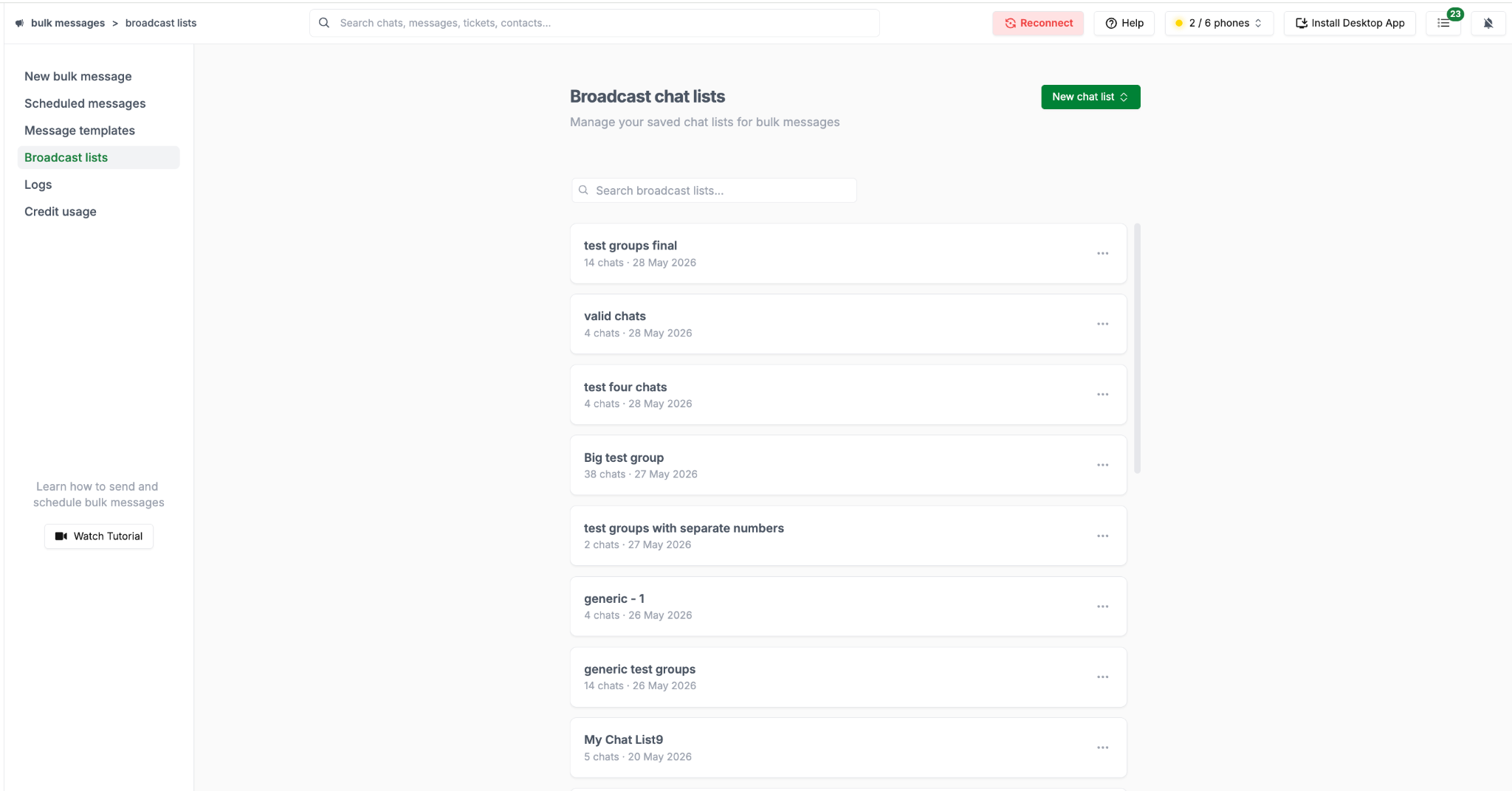
These chat lists act as reusable templates — helping you quickly launch repeat broadcasts and manage all your lists from a dedicated screen.
✅ Send broadcasts from multiple phones
You can now select multiple phones for a single broadcast, making it easier to distribute messages and manage sending at scale.
You can also search for specific phones and filter them using labels, giving you better control over how broadcasts are sent.
✅ Edit variables directly, without relying on CSV
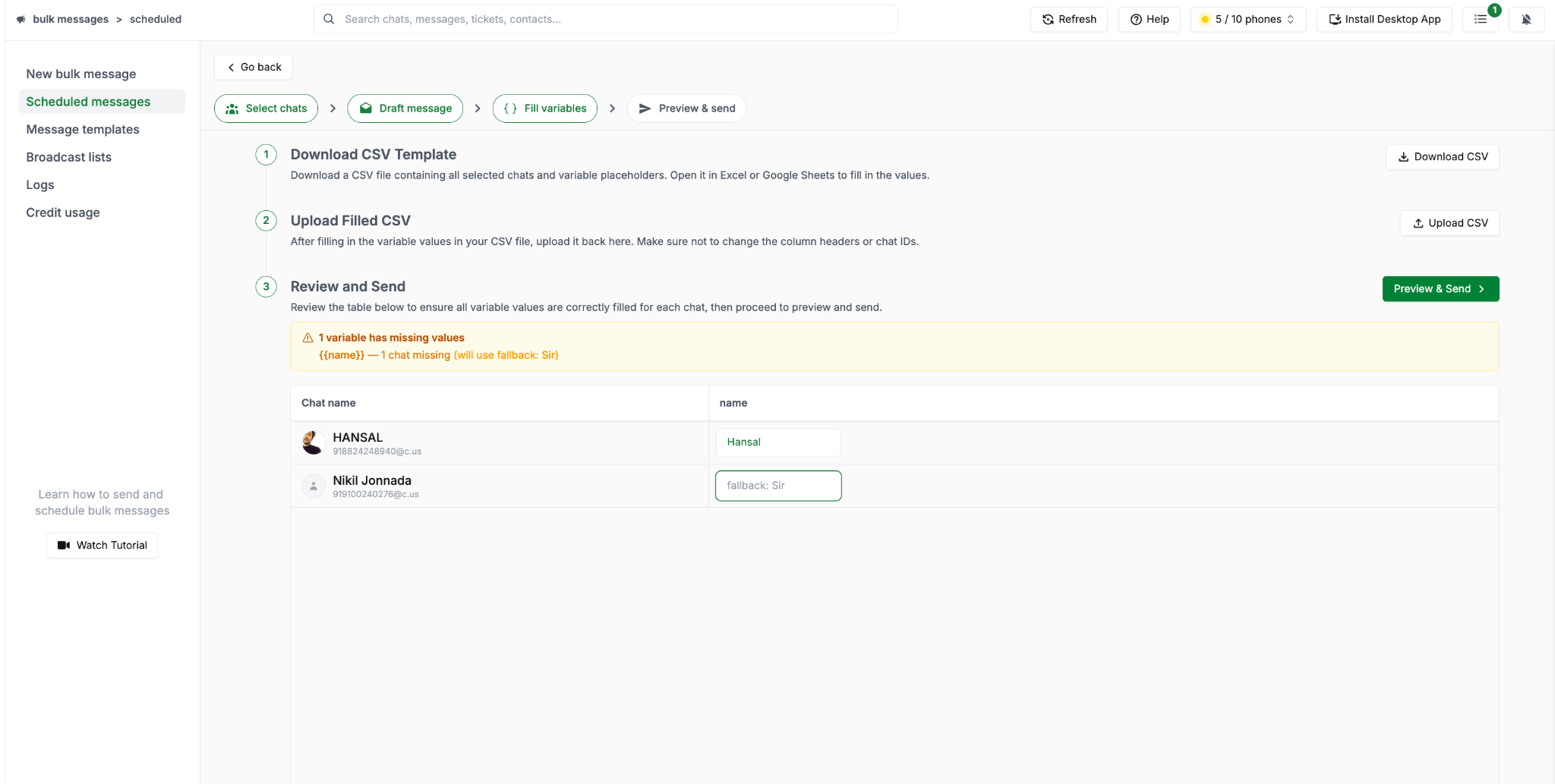
You can edit variables inline across chats, see exactly where values or fallback values are being used, and get clear warnings for missing values before sending, reducing errors and setup time.
✅ Preview, schedule, and automate broadcasts
The preview and send screen has been redesigned to give you a complete view of your broadcast setup before sending.
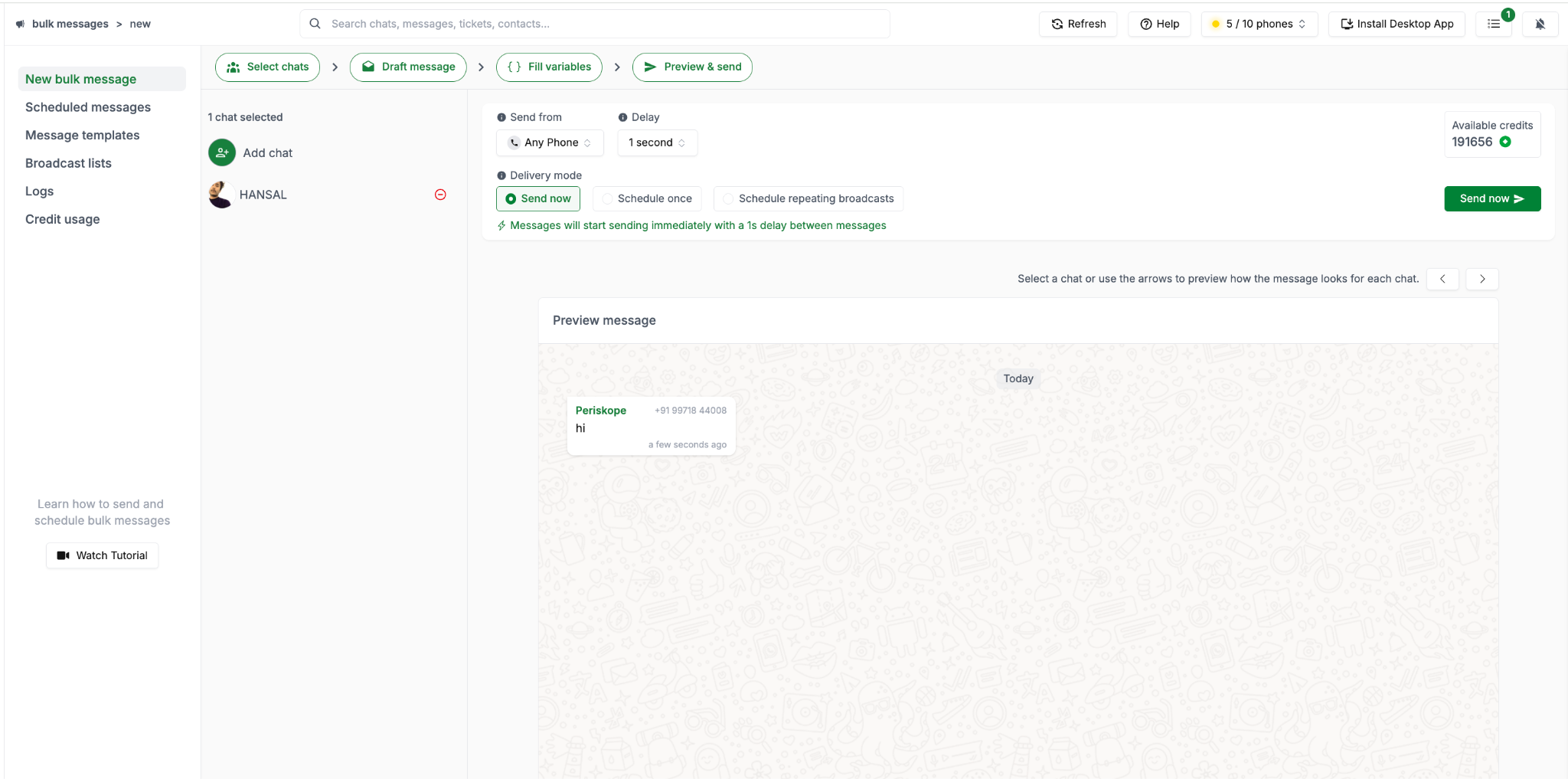
You can now choose how you want to send:
Send now for immediate delivery
Schedule once for a one-time send
Recurring schedules to automate repeated broadcasts
For recurring broadcasts, you can define which days they run, set the gap between consecutive sends, and choose an end date, making it easier to run follow-ups, reminders, and ongoing campaigns.
✅ Broadcast logs with retry, control, and visibility
Broadcast logs now give you much more control after a broadcast is sent. You can filter logs by timestamp and status, and take quick actions like:
Duplicate a broadcast with all details pre-filled
Stop sending an active broadcast
Retry failed messages without starting over
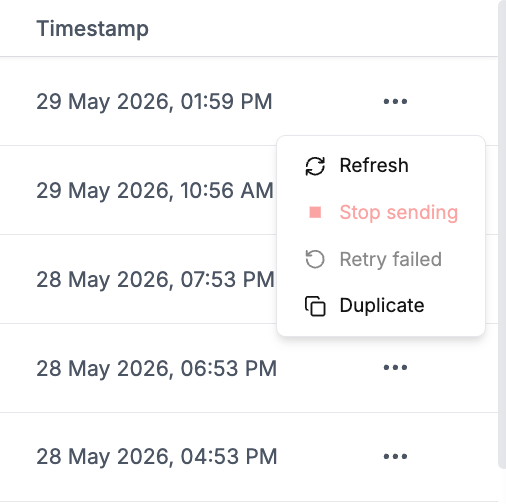
At a detailed level, you can see if a broadcast is part of a recurring sequence, view previous runs, and access individual logs for deeper visibility.
You can also use AI to explain broadcast details and view poll results with detailed voter breakdowns.
We’re confident these changes will make running and managing broadcasts much smoother at scale. Give it a try. ✨