Scheduled Messages, Now Easier to Manage

You can now control individual scheduled messages, quickly find upcoming or sent schedules, and choose whether chats stay flagged after a scheduled message is sent.
⏸️ More control over scheduled messages
You can now pause a scheduled message, skip its next run, or duplicate it, giving you more flexibility when managing recurring schedules.
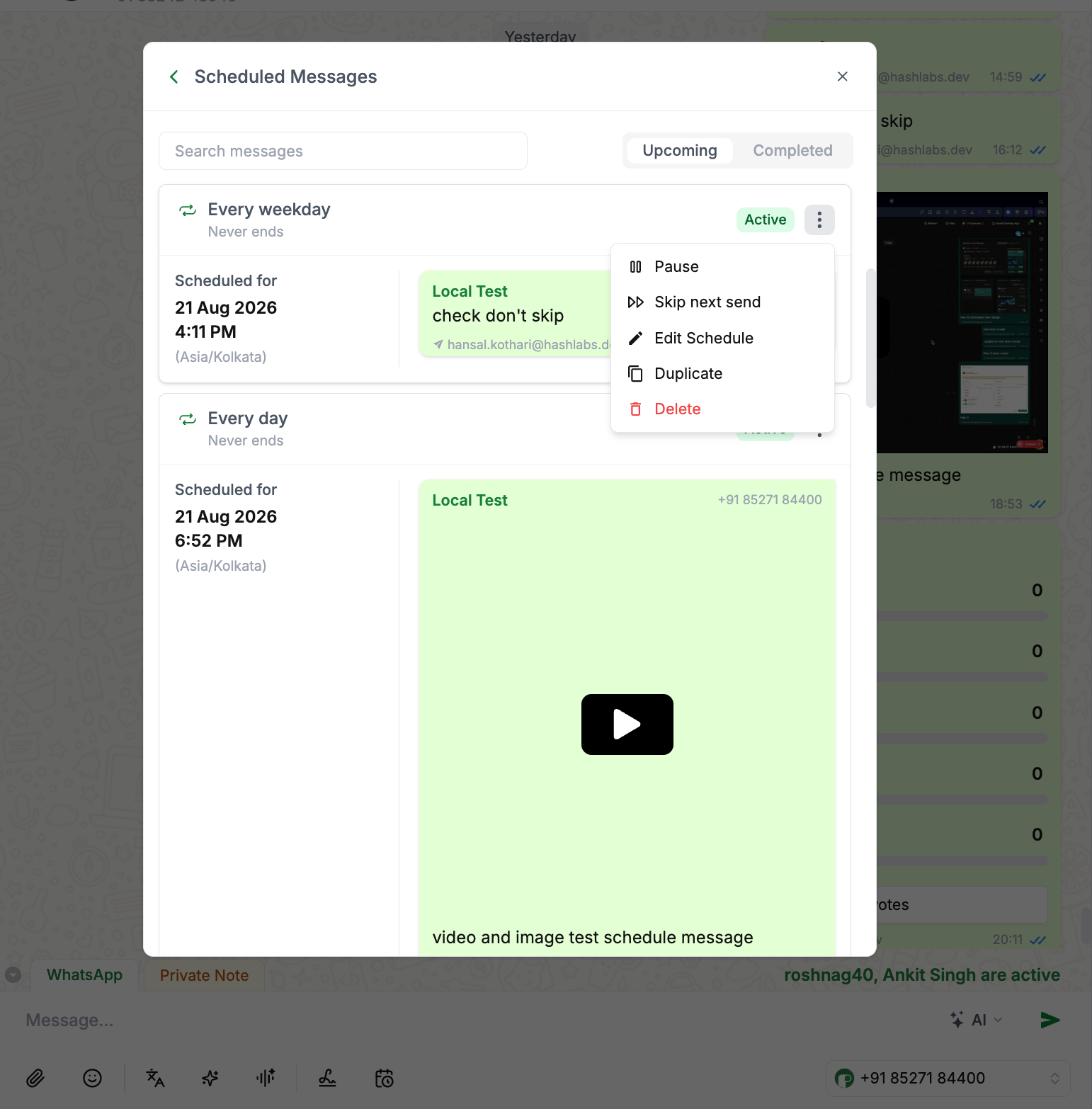
🔎 A cleaner way to manage scheduled messages
The scheduled messages view now comes with filters and sorting, along with a clearer distinction between upcoming and sent messages, making it easier to find and manage what you need.
⚙️ Keep chats flagged after scheduled messages
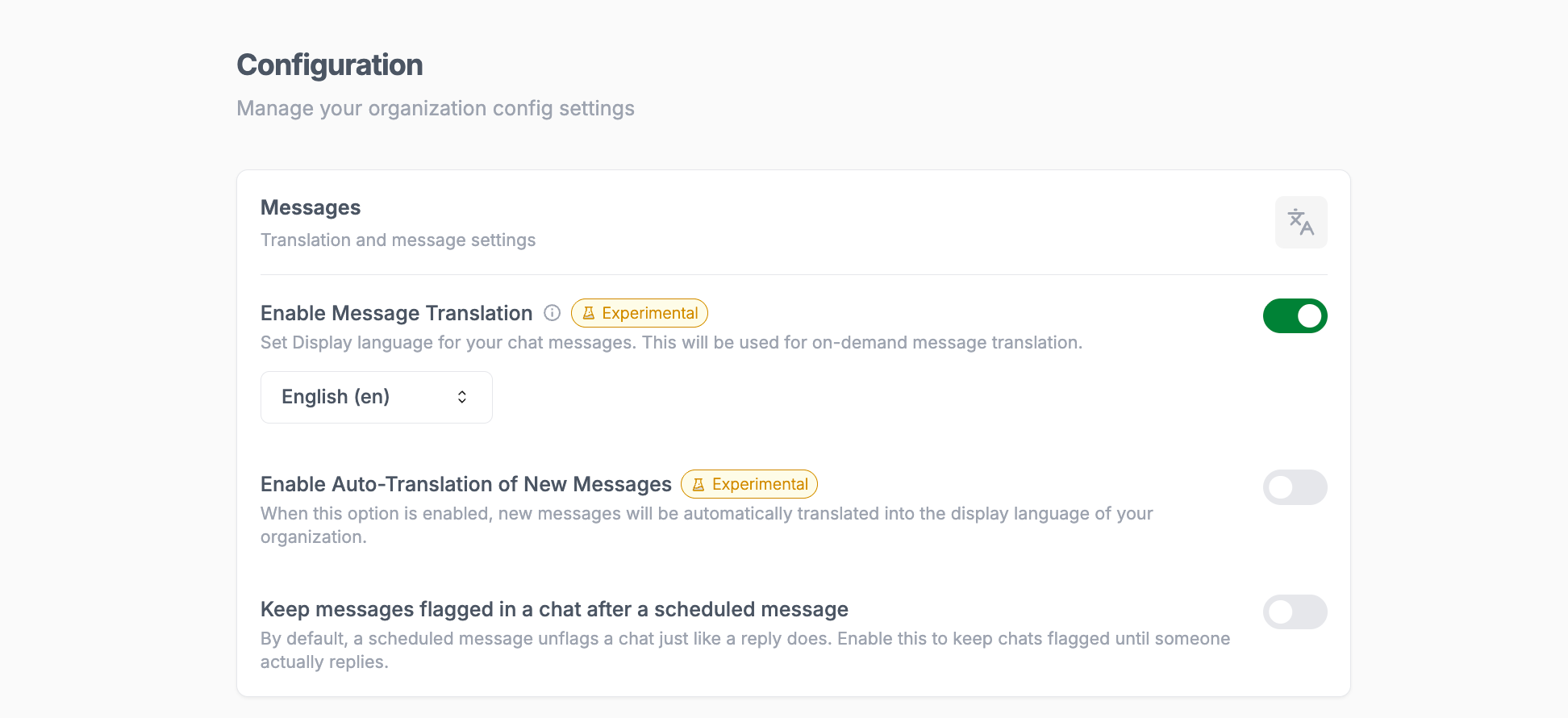
By default, sending a scheduled message unflags the chat, just like sending a reply does.
With the new configuration setting enabled, the chat remains flagged even after the scheduled message is sent, until someone actively replies. This helps ensure conversations that still need attention don't get missed.
That’s it for this week. ✨